September 22, 2023 · 1 min read
Action Jackson
John Gruber from Daring Fireball recently shared a couple of iOS Shortcuts he developed to have the iPhone 15 Pro Action button. These shortcuts perform different actions based on the physical orientation of the iPhone. Here’s what they do:
- If the iPhone is face down or upside down in portrait mode (e.g., in a pocket), it will enable Silent Mode and vibrate.
- Otherwise, it will launch the Camera app.
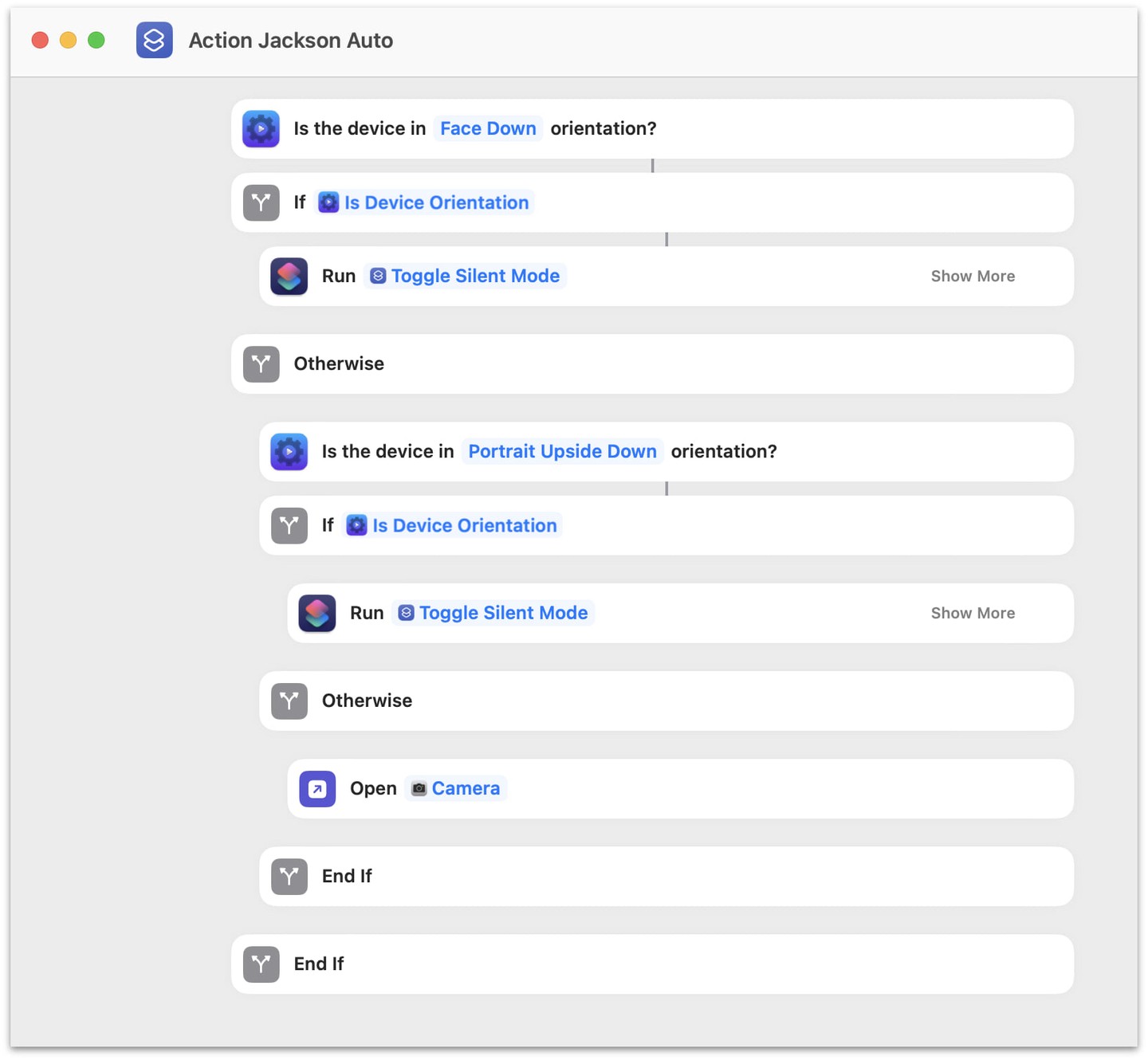
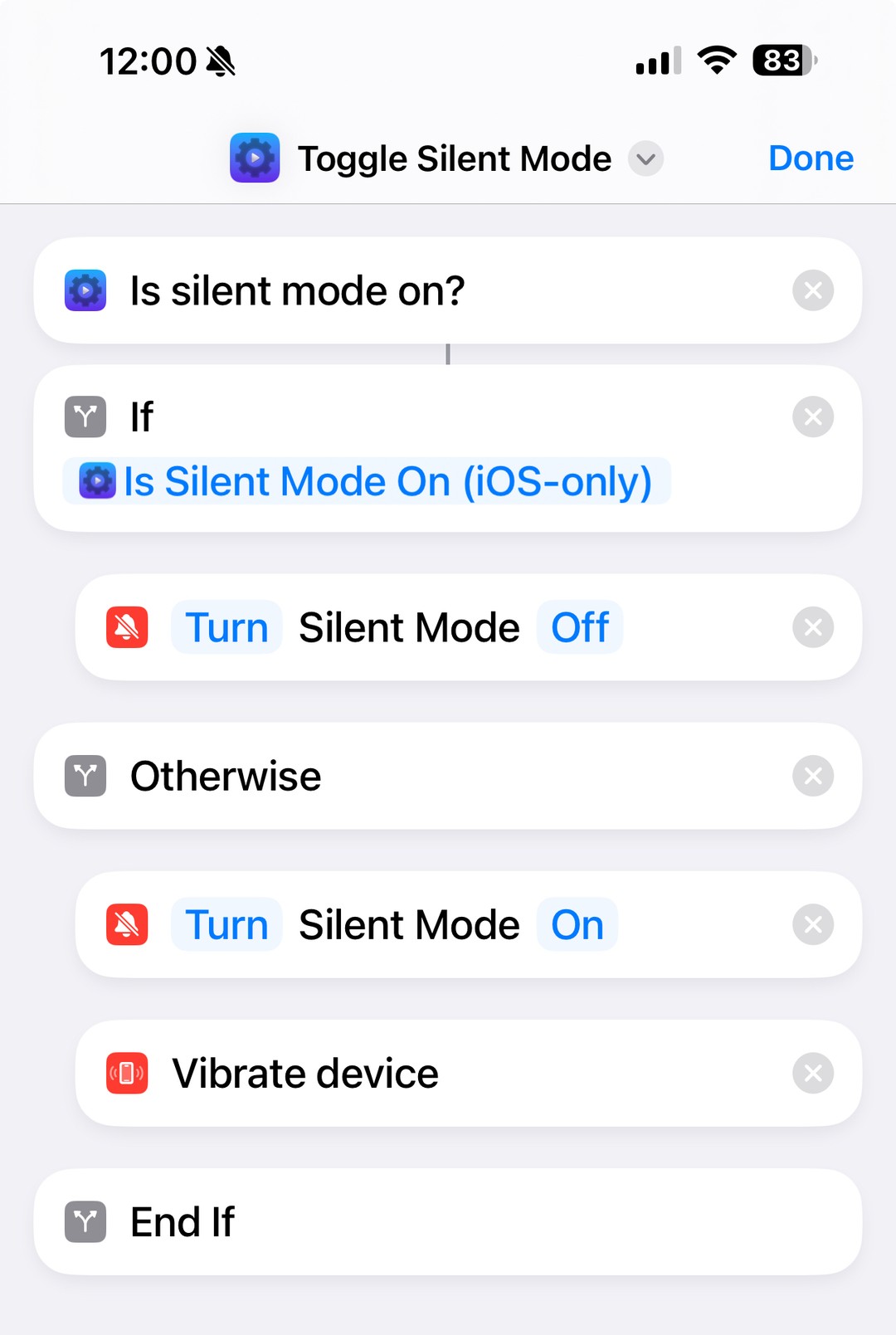
I couldn’t find the Shortcuts shared by Gruber, but John helpfully posted screenshots and I have recreated his shortcuts and shared them here:
- Toggle Silent Mode: https://www.icloud.com/shortcuts/f604f199c1bb4fd3bf5824990dcce0c8
- Action Jackson Auto: https://www.icloud.com/shortcuts/e2f75daf48084fe68c271cb861119ac0
These Shortcuts require the free Actions app.
Download the Actions app.
Install the two Shortcuts mentioned above.
Before using them, inspect the Shortcuts to ensure they are safe (always do this when downloading Shortcuts).
Run each shortcut from the Shortcuts app and grant them the necessary permissions (choose “Always”).
Open the Settings app and assign the Action Jackson shortcut to the Action button.
Test it out in different orientations! The Shortcuts work smoothly with minimal delay.